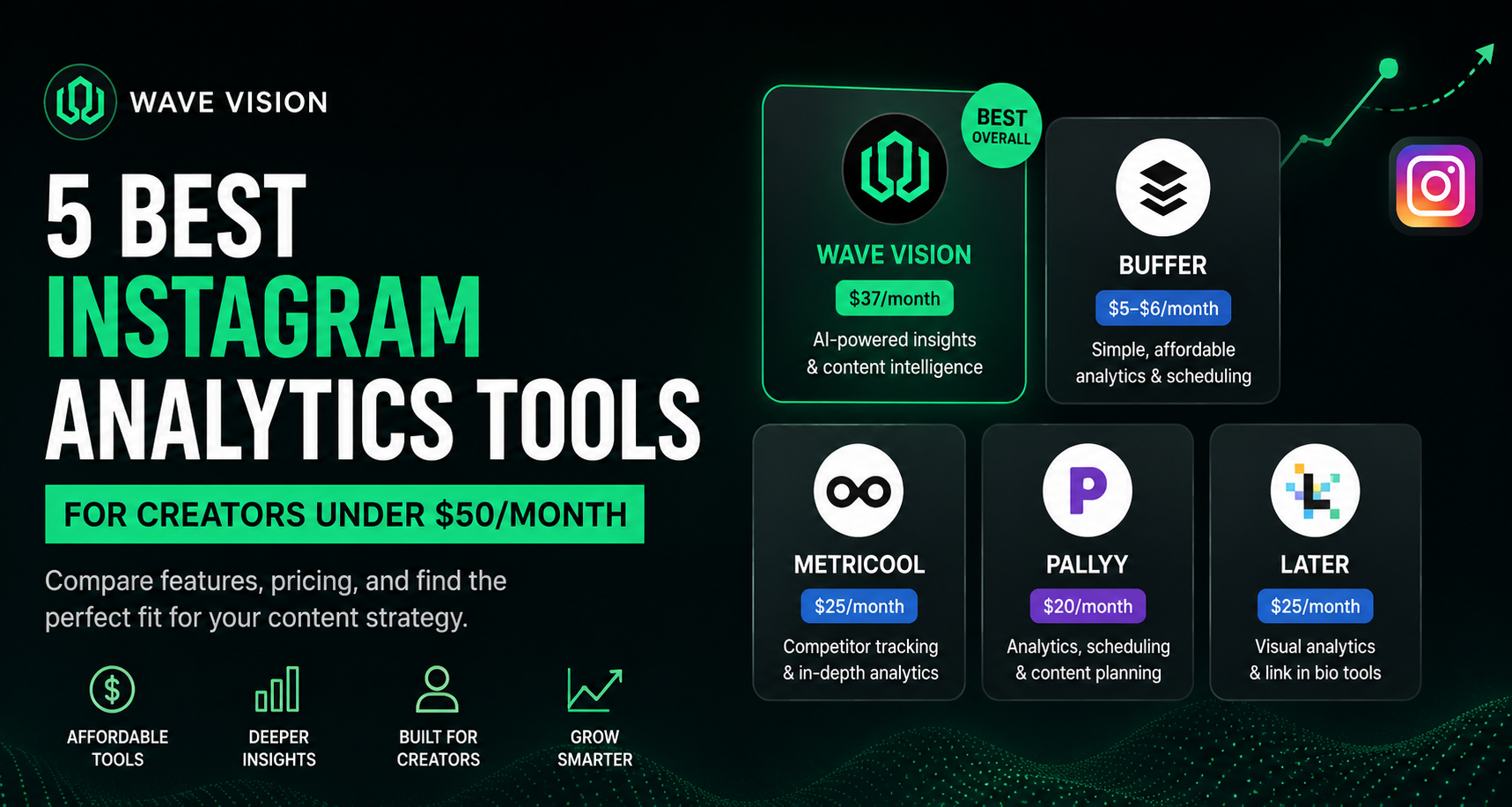
TL;DR: Most creators overpay for Instagram analytics or go in blind with just the native app. The best Instagram analytics tools for creators under $50/month include Wave Vision, Buffer, Metricool, Pallyy, and Later. Each one fits a different type of creator. This guide breaks down exactly what you get at each price point, what to skip, and what to look for before you spend a dollar.
You're posting consistently. You're putting real effort into your content. But you have no idea which posts actually moved the needle or why.
Sound familiar?
The problem isn't your content. It's that you're flying blind. Without the right analytics tool, you're guessing at what works and burning hours on content that doesn't perform.
Here's the good news: you don't need an enterprise-level tool costing hundreds a month to fix that. According to the Influencer Marketing Hub, 87% of marketers now use analytics to plan their content strategy. And with over 64 million influencers active on Instagram, the creators who understand their data are the ones pulling ahead.
The best Instagram analytics tools for creators fit inside a $50/month budget. Here's exactly what they are and how to pick the right one.
What Should an Instagram Analytics Tool Actually Do?
The best Instagram analytics tools for creators track engagement rate, follower growth, reach, saves, and best posting times in one clear dashboard.
These aren't nice-to-haves. They're the core metrics that tell you what content resonates, when to post it, and whether your account is actually growing. A good tool surfaces those patterns without making you dig through spreadsheets.
At minimum, look for:
- Post-level analytics (likes, comments, saves, shares, reach per post)
- Follower growth tracking over time
- Best time to post based on your specific audience activity
- Story and Reels performance breakdowns
- Easy-to-read visualizations (not just raw numbers)
Advanced features like competitor analysis, AI-powered predictions, and multi-platform tracking become useful as you grow. But the fundamentals above should come with every paid plan you consider.
Instagram's native Insights covers the basics but only retains 90 days of data and has zero competitive benchmarking. For casual posting, it's fine. For any creator serious about growth, it's a starting point, not a complete solution.
Is Paying for Instagram Analytics Actually Worth It?
Paying for Instagram analytics is worth it once you're posting consistently and want to turn effort into a strategy.
The ROI math works fast. If you currently spend five hours a month manually tracking analytics at $50 an hour, that's $250 in labor costs. Most paid tools in this guide cost less than $50/month. That's a positive return in month one.
More importantly, the data changes how you create. Knowing which Reels format drives saves for your specific audience is worth far more than the subscription cost. Reels on Instagram grew engagement by 3.8% from 2024 to 2025, while static posts declined. If you're not tracking format-level performance, you're invisible to that shift.
Learning how social media analytics helps businesses is the same for individual creators. Data removes guesswork and replaces it with a repeatable system.
The 5 Best Instagram Analytics Tools for Creators Under $50/Month
1. Wave Vision: Best for AI-Powered Content Intelligence
Price: $37/month (with a $1 thirty-day trial at wavevision.io/trial)
Wave Vision was built specifically for creators who want to stop guessing and start knowing. It connects Instagram, TikTok, and YouTube in one dashboard and uses AI to analyze your content patterns across all three platforms.
The standout feature is content intelligence. Instead of just showing you what performed, Wave Vision helps you understand why it performed and what to create next based on your specific audience behavior. That's the gap between a metrics tool and a genuine growth system.
Key features include:
- AI video analysis across all connected accounts
- Vision Score: a gamified content rating that shows how each piece of content stacks up
- Cross-platform insights (Instagram, TikTok, YouTube in one place)
- Personalized content recommendations based on your actual patterns
- 24/7 account scoring
At $37/month, it sits well under the $50 budget and offers more AI-driven intelligence than tools that charge double. If you're a creator who wants to know what will perform before you post, Wave Vision's trial is the lowest-risk starting point on this list.
2. Buffer: Best for Simplicity at Low Cost
Price: Free (3 channels) / $5–$6/month per channel on Essentials (billed annually)
Buffer is the no-frills pick for creators who want clean analytics without extra complexity. The Essentials plan starts at $5–$6/month per channel when billed annually, which means a creator managing Instagram, TikTok, and YouTube pays roughly $15–$18/month total. That's an easy budget win.
What Buffer does well: scheduling, basic engagement tracking, post performance history, and best time to post suggestions. It's a generalist tool, meaning it won't have Instagram-specific depth like hashtag performance or Story exit rates, but it covers everything a growing creator needs to make data-informed decisions.
Buffer is the right call if you want something fast to set up, affordable to run, and simple enough that you'll actually use it week to week.
3. Metricool: Best for Competitor Tracking
Price: Free plan / Starter at $25/month
Metricool is the analytics-first option in this price range. Paid plans start at $18–$25/month depending on billing cycle, and the platform is known for putting competitor benchmarking and hashtag tracking front and center rather than treating them as add-ons.
Where Metricool earns its spot on this list is the free tier. The free plan is genuinely useful, covering one brand across Instagram, TikTok, Facebook, Pinterest, YouTube, and Google Business Profile. If you're testing the analytics habit before committing to a paid plan, Metricool's free tier is the best place to start.
On the Starter plan, you get detailed analytics history, competitor tracking on up to five accounts, and post scheduling across nine platforms. For creators who want to understand how they stack up against others in their niche, that competitor view is hard to find elsewhere at this price point.
4. Pallyy: Best for Visual Creators on Instagram
Price: Free plan / Pro at $25/month
Pallyy was built from the ground up for Instagram-first creators. The Pro plan at $25/month includes unlimited posts for a single social set, along with the platform's standout feature: a drag-and-drop visual grid planner that lets you see exactly how your feed will look before anything goes live.
On the analytics side, you get post, story, and profile performance breakdowns, along with competitor analytics and best time to post recommendations based on your audience's actual activity. Understanding what affects Instagram Story performance is easier when the data is laid out visually instead of buried in a table.
One honest limitation: Pallyy's analytics only cover Instagram, Facebook, and LinkedIn. If TikTok or YouTube is part of your platform mix, you'll need a complementary tool or something with broader cross-platform support.
5. Later: Best for Instagram-Specific Analytics Depth
Price: Starter at $16.67/month (billed annually) / Growth at $33.33/month
Later has the deepest Instagram-specific analytics of any tool at this price point, including up to 24 months of historical data, hashtag performance tracking, best time to post, and detailed Reels breakdowns. The Growth plan at $33/month adds advanced analytics, comprehensive hashtag tools, and enhanced Linkin.bio customization.
Where Later wins is the visual content calendar. It's genuinely better than every other tool in this guide for creators who care about how their feed looks as a whole. Drag-and-drop scheduling, feed preview, and media library management are all class-leading.
If Instagram is your primary platform and visual planning matters to your strategy, Later is worth the step up from the Starter tier. For multi-platform creators, it's less of an obvious fit.
How to Actually Use Instagram Analytics to Grow
Picking a tool is step one. Using it consistently is what creates results.
Here's the weekly habit that makes analytics worth the subscription:
Set aside 20 minutes at the end of each week. Pull your top three posts by saves (not likes). Saves signal that your audience found the content genuinely useful or wanted to come back to it. That's a stronger growth signal than likes. Look for the pattern: What format? What topic? What caption structure? Then create more of that.
Instagram's algorithm in 2026 rewards creators who understand their metrics deeply. That doesn't mean checking your dashboard every hour. It means building a clear picture of what your specific audience responds to and making more of it on purpose.
AI-powered content tools speed up that loop significantly. Instead of reviewing weeks of data manually, the right tool surfaces patterns automatically and tells you what to make next.
Which Instagram Analytics Tool Should You Pick?
The right Instagram analytics tool for you depends on your platform strategy, budget, and what you'll actually use consistently.
Here's a simple breakdown:
If you want AI-powered predictions and cross-platform intelligence in one place, start with Wave Vision's $1 trial. It's the only tool on this list built specifically for creators who want to know what will perform before they create it.
If you're just starting out and need something free and simple, Buffer's free plan covers three channels with no credit card required.
If competitor tracking matters to your strategy, Metricool's free tier or $25/month Starter plan is the best value in this category.
If Instagram is your primary platform and you care about visual planning, Pallyy at $25/month is purpose-built for you.
If you want the deepest Instagram-specific analytics with two years of history, Later's Growth plan at $33/month is the most feature-rich option under $50.
The worst move is to keep posting without tracking anything. Pick one tool, check it once a week, and make content decisions based on what the data actually tells you.
Frequently Asked Questions
What is the best free Instagram analytics tool for creators?
The best free Instagram analytics tool is Instagram's native Insights, which is built into every business and creator account. It covers reach, impressions, follower demographics, and post-level engagement for the past 90 days. For more advanced free options, Metricool's free plan supports one brand across multiple platforms including Instagram, TikTok, and YouTube, and is considered one of the stronger free tiers available in 2026.
Is $37/month worth it for an Instagram analytics tool?
Yes, for most active creators, $37/month is worth paying for a solid analytics tool. If you spend even a few hours a month manually reviewing your stats, a tool that automates that process and surfaces actionable patterns saves more in time than it costs in money. Tools like Wave Vision at $37/month also add AI-powered predictions that go beyond basic tracking, which changes how you plan content rather than just reviewing what already happened.
What metrics should creators focus on in Instagram analytics?
Creators should focus on save rate, engagement rate (reach-based), non-follower reach percentage, follower growth rate, and story completion rate. Save rate is especially important because saves signal that your audience found the content valuable enough to return to. Vanity metrics like total likes are less useful without the context of how many people actually saw the post.
Can I track TikTok and YouTube in the same dashboard as Instagram?
Yes. Several tools in this guide support multi-platform analytics. Wave Vision connects Instagram, TikTok, and YouTube in one dashboard with AI-powered analysis across all three. Metricool and Buffer also support multiple platforms on their paid plans. Later is primarily Instagram-focused, while Pallyy's analytics are limited to Instagram, Facebook, and LinkedIn.
How often should I review my Instagram analytics?
Most creators benefit from a weekly review of 15 to 20 minutes rather than checking stats daily. Daily checks add stress without improving content quality. A weekly rhythm lets you spot patterns across enough posts to draw conclusions, then adjust the following week's content accordingly. Monthly reviews are useful for broader trend analysis, like identifying which content formats or topics are consistently performing across a longer time window.