The Best Software to Analyze a TikTok Before Posting
TL;DR: The best software for analyzing a TikTok before posting evaluates your hook, pacing, audio, and visual composition, then predicts how viewers will respond before you ever hit publish. This flips the usual workflow: instead of posting, waiting for analytics, and learning from a video that already underperformed, you catch the weak points during editing. This post covers what a good pre-post analyzer should check, which tools do this well, and how to actually use the feedback before you post.
What Does It Mean to "Analyze" a TikTok Before Posting?
Analyzing a TikTok before posting means running your finished (or nearly finished) video through software that evaluates its likely performance before it ever reaches an audience. Instead of posting, waiting hours or days for engagement data, and only then figuring out what went wrong, you get that feedback while you can still make edits.
This is a meaningfully different workflow than checking analytics after the fact. AI video analysis tools can evaluate your TikTok before you publish by analyzing the hook, pacing, audio quality, and visual elements to predict how the audience will respond, which turns content review from a postmortem into something you can act on during editing, while the fix is still cheap.
What a Good Pre-Post Analyzer Should Actually Check
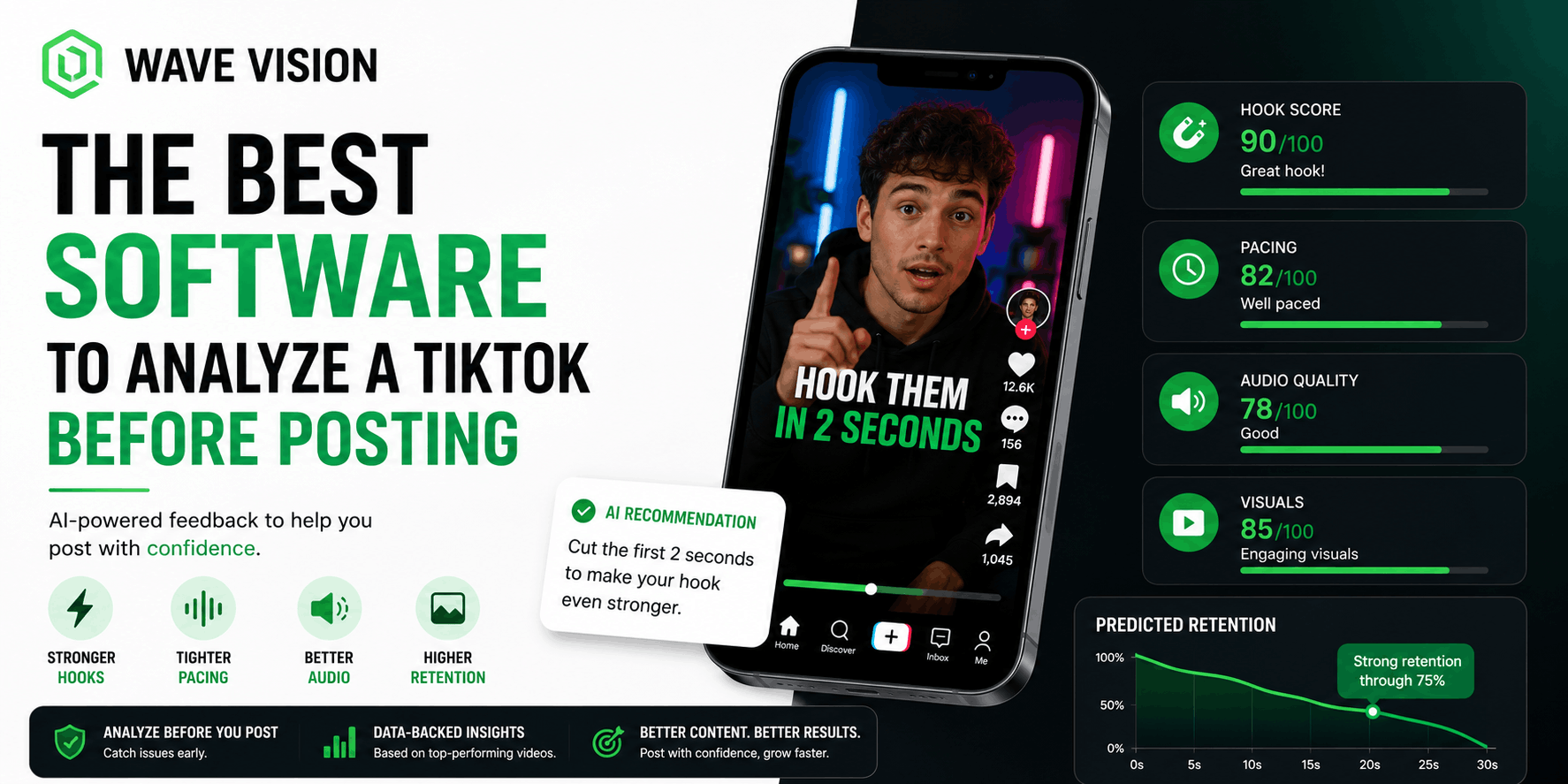
Not every tool that claims to "analyze" your video is checking the things that actually predict performance. A pre-post analyzer worth using should evaluate at least four things: your hook, your pacing, your audio, and your visual composition, and it should translate all of that into a predicted outcome, not just a checklist.
The hook matters most, since a two-second opening is often the difference between 500 views and 500,000 on TikTok specifically. Pacing matters because viewer attention drops off in predictable patterns, and a good analyzer should flag exactly where in your video that drop-off is likely to happen, not just tell you the video is "fine" or "not fine." Audio and visual composition round out the picture, since a strong hook line delivered over flat, static visuals still loses viewers in the first few seconds.
The best version of this feedback goes further than a pass/fail score. It should give you a predicted retention curve, showing roughly where viewers are expected to drop off across the video's runtime, so you know exactly which section to re-cut rather than guessing at the whole thing.
The Best Software for Analyzing a TikTok Before Posting
Here's how the current field of pre-post analysis tools breaks down.
Retensis runs a pre-publish AI analysis specifically built around this workflow. You upload a video or paste a link and get a report within about 90 seconds, scoring five categories along with a predicted retention curve and specific recommendations. It's a solid dedicated option if pre-post scoring is the only thing you need.
ReelMind takes a broader AI content approach, using historical performance data and current platform dynamics to predict a video's potential performance before it's posted, alongside trend-spotting features for catching rising formats early.
General analytics platforms like Sprout Social, Brand24, and Analisa.io get mentioned in a lot of "best TikTok analytics tools" roundups, but they're built primarily for after-the-fact reporting, not pre-post analysis. One recent hands-on comparison tested several of these and found the TikTok-specific analytical depth in tools like Sprout Social wasn't meaningfully better than what's available natively, since their core strength is dashboards and reporting, not content-level prediction.
Wave Vision approaches this from the creator side specifically. Its AI Video Analysis feature scores your video and identifies what's actually driving predicted performance, whether that's a weak hook, a pacing issue, or a mismatch between your opening promise and the rest of the video, the same kind of feedback we cover in more depth in our post on hook analysis tools for short-form video. Unlike tools built primarily for after-the-fact reporting, it's built around the pre-post workflow as a core feature, not an afterthought.
How Wave Vision's Free Analyzer Fits In
If you just want to test a single video before deciding on a full analytics setup, you can run it through our free video analyzer without creating an account. It's a fast way to see what a hook and retention score actually look like on your own content before committing to anything.
For creators who want that same feedback across everything they post, plus performance tracking across TikTok, Instagram, and YouTube in one place, the full Wave Vision dashboard extends that same AI analysis to your entire posting history and connects it to real engagement and completion rate data once your videos go live. That combination, pre-post prediction plus post-publish confirmation, is what tells you whether the tool's predictions are actually matching your real results over time.
What to Do With the Feedback Before You Post
A pre-post score only helps if you act on it correctly. If your hook score comes back weak, the fix is almost always structural: cut anything before the payoff, whether that's a slow intro, a logo animation, or a "hey guys" opener, and drop the viewer straight into the most interesting frame.
If the pacing flag shows a predicted drop-off partway through, check that section specifically for a stretch with no visual or audio change. TikTok's algorithm rewards frequent pattern interrupts, so a section that goes more than a few seconds without a cut, camera change, or new on-screen text is usually the culprit.
Treat a low score as a note to re-edit, not a reason to scrap the video entirely. Most fixable issues, a slow opening, a flat middle section, live in a specific 3 to 5 second window, not the whole piece.
Why Pre-Post Analysis Beats Waiting for Native Analytics
Native TikTok analytics are genuinely useful, but they only tell you what already happened. By the time you see a weak completion rate on a published video, that specific video's chance at strong distribution has often already passed, since TikTok tests content against a small initial audience before deciding whether to push it further.
Pre-post analysis moves that feedback earlier, into the window where you can still change the outcome. It's the same logic behind checking your posting cadence against your actual retention data rather than guessing, which we cover in our post on how many videos you can post per day on TikTok. Catching a weak video before it's public is a much better use of your time than posting it, watching it underperform, and trying to reverse-engineer why after the fact.
Conclusion
Analyzing a TikTok before posting turns content review from something you do after a video has already underperformed into something you do while you can still fix it. Whether you use a dedicated pre-post tool like Retensis, a broader creator platform like Wave Vision, or start with a quick free check, the goal is the same: catch the weak hook or pacing issue during editing, not after the algorithm has already decided your video isn't worth pushing further.
If you want to see how your next TikTok scores before you post it, try our free video analyzer, or start your $1 trial with Wave Vision to track that feedback across everything you post on TikTok, Instagram, and YouTube.
Frequently Asked Questions
**Can software actually predict how a TikTok will perform before I post it?**Yes, to a meaningful degree. AI video analysis tools evaluate your hook, pacing, audio, and visual composition and compare them against patterns from high-performing content to predict likely engagement, though no tool can guarantee an exact outcome since platform testing and audience mood still play a role.
**What should a good pre-post TikTok analyzer check?**A useful analyzer should evaluate your hook strength, pacing, audio quality, and visual composition, and ideally provide a predicted retention curve showing where in the video viewers are likely to drop off, rather than just a single overall score.
**Is there a free way to analyze a TikTok before posting?**Yes. Wave Vision offers a free video analyzer that doesn't require an account, letting you test a single video's hook and predicted performance before deciding on a full analytics setup.
**Why is analyzing a video before posting better than checking analytics afterward?**By the time native analytics show a video underperformed, that video's window for strong algorithmic distribution has often already passed. Pre-post analysis surfaces the same issues, like a weak hook or pacing problem, while you can still edit the video before it goes live.
**Do general TikTok analytics tools like Sprout Social analyze videos before posting?**Not really. Most general analytics platforms are built for after-the-fact reporting and dashboards rather than pre-publish content analysis, and their TikTok-specific analytical depth is often not meaningfully better than what's available through TikTok's own native analytics.
Frequently asked questions
Can software actually predict how a TikTok will perform before I post it?
Yes, to a meaningful degree. AI video analysis tools evaluate your hook, pacing, audio, and visual composition and compare them against patterns from high-performing content to predict likely engagement, though no tool can guarantee an exact outcome since platform testing and audience mood still play a role.
What should a good pre-post TikTok analyzer check?
A useful analyzer should evaluate your hook strength, pacing, audio quality, and visual composition, and ideally provide a predicted retention curve showing where in the video viewers are likely to drop off, rather than just a single overall score.
Is there a free way to analyze a TikTok before posting?
Yes. Wave Vision offers a free video analyzer that doesn't require an account, letting you test a single video's hook and predicted performance before deciding on a full analytics setup.
Why is analyzing a video before posting better than checking analytics afterward?
By the time native analytics show a video underperformed, that video's window for strong algorithmic distribution has often already passed. Pre-post analysis surfaces the same issues, like a weak hook or pacing problem, while you can still edit the video before it goes live.
Do general TikTok analytics tools like Sprout Social analyze videos before posting?
Not really. Most general analytics platforms are built for after-the-fact reporting and dashboards rather than pre-publish content analysis, and their TikTok-specific analytical depth is often not meaningfully better than what's available through TikTok's own native analytics.