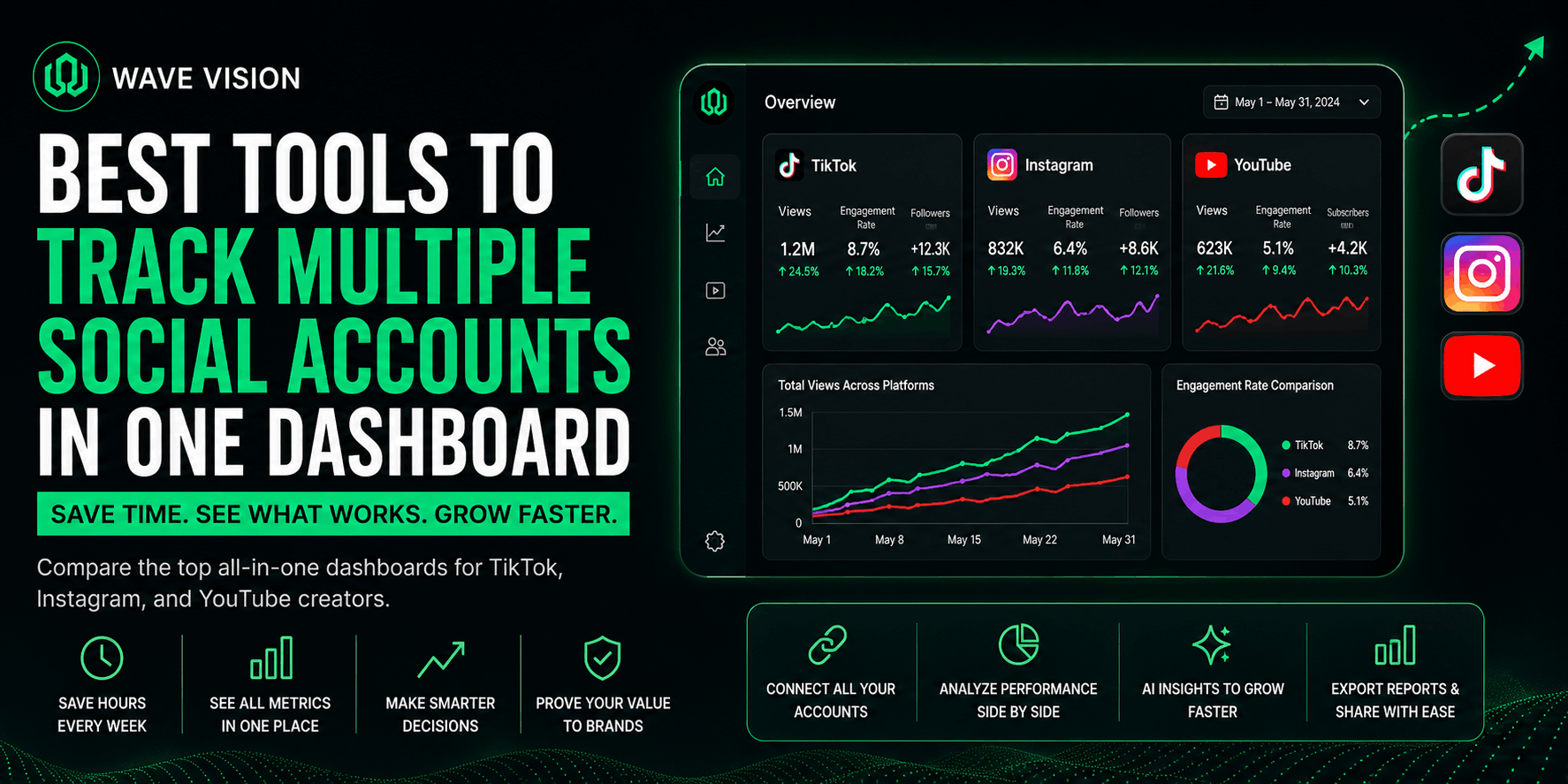
TL;DR: Tracking multiple social media accounts in one dashboard means pulling your TikTok, Instagram, and YouTube metrics into a single view instead of logging into three separate apps. It saves hours of app-switching every week, gives you a clearer picture of what's actually working across platforms, and makes it far easier to prove your value to brands. This post covers what to look for in a multi-account dashboard, the best tools available, and how to set one up in under 10 minutes.
Why Tracking Accounts Separately Wastes More Time Than You Think
If you're a creator posting to TikTok, Instagram, and YouTube, you already know the routine. Check TikTok Studio. Switch to Instagram Insights. Open YouTube Analytics. Try to remember what you saw five minutes ago in the first app. Repeat tomorrow.
This isn't just annoying, it's a measurable drain. Research from Harvard Business Review found that workers toggle between applications roughly 1,200 times a day, costing close to four hours a week just reorienting after each switch. Separate research on tool fatigue found employees lose 44 hours a year to app switching alone, and that number climbs fast once you're juggling three or more platforms with three different login flows and three different ways of displaying the same basic metric.
For a solo creator, that time isn't abstract. It's the hour you could have spent editing your next video, or the fifteen minutes you meant to spend checking analytics that turned into forty because you got distracted scrolling your own feed. A single dashboard removes that friction by putting everything in one place.
What "One Dashboard" Actually Means for Creators
A multi-account social media dashboard is a single tool that pulls performance data from all your connected platforms into one screen, so you're not logging into TikTok, Instagram, and YouTube separately to piece together the full picture.
It's worth knowing there are two very different categories that both get called "dashboards." Scheduling dashboards, like the ones built into most social media management platforms, focus on planning and publishing content across accounts. Analytics dashboards focus on performance after you've already posted: watch time, retention, engagement rate, and account growth side by side. Some tools try to do both. Most creators are better served by knowing which problem they're actually trying to solve before picking a tool, since a scheduler-first platform often treats analytics as an afterthought.
If your biggest pain point is remembering what to post and when, you want a scheduling tool. If your biggest pain point is not knowing why one video took off and another didn't, or which platform is actually worth your time, you want an analytics-first dashboard.
What to Look for in a Multi-Account Analytics Dashboard
Not every "all-in-one" dashboard actually solves the problem creators care about. A dashboard worth using should clear four bars: it needs to support the platforms you're actually posting to, show metrics side by side instead of in separate tabs, update close to real time, and go beyond vanity numbers like follower count into the metrics that predict growth, like watch time and retention.
That last point matters more than it sounds. Platform-specific metrics vary in what they signal. TikTok weighs watch time and completion rate most heavily, YouTube tracks average view duration, and Instagram leans on saves and shares as proof that your audience found the content valuable enough to keep or pass along. A dashboard that just shows follower counts side by side isn't telling you anything you couldn't already guess.
We've written before about which specific metrics actually matter for TikTok and Instagram growth, including a full breakdown of what a good engagement rate looks like across platforms. The short version: raw numbers without context are close to useless. A dashboard's real job is contextualizing them.
Best Tools for Tracking Multiple Social Accounts in One Place
Here's how the main options stack up depending on what you actually need.
Metricool covers the widest range of platforms, including Twitch and your own website traffic alongside the usual social apps, and leans more toward analytics than pure scheduling. It's a strong pick if you want one tool to also track ad spend across Meta, Google, and TikTok.
Sprout Social and Hootsuite are built primarily for teams and agencies managing client accounts. Both offer solid cross-account analytics, but the pricing and feature depth are aimed at businesses managing inboxes and approval workflows, not a solo creator trying to understand their own retention curve.
Vista Social sits in the middle, offering scheduling, messaging, and basic analytics at a lower price point than Hootsuite, which makes it a reasonable option if budget is the main constraint.
Wave Vision takes a different angle. Instead of building analytics as a secondary feature bolted onto a scheduler, it's built specifically for individual creators who want their TikTok, Instagram, and YouTube performance in one place, with AI-powered video analysis layered on top so you're not just seeing numbers, you're seeing why a specific video performed the way it did.
How Wave Vision Brings TikTok, Instagram, and YouTube Into One View
We built Wave Vision around a simple frustration: creators post across three or more platforms but have to think about performance one app at a time. You link your accounts, and from there you can view metrics from up to three social profiles inside a single dashboard, side by side, without switching tabs.
The part that goes beyond a typical analytics dashboard is Vision, our AI video analysis tool. Instead of just showing you that a video underperformed, it analyzes the video itself and surfaces the pattern, whether that's a weak hook, a pacing issue, or a mismatch between your opening promise and the rest of the video. We broke down exactly how hook strength affects retention in our post on hook analysis tools for short-form video, which pairs well with a unified dashboard because you can spot the pattern across platforms instead of guessing account by account.
If you're managing content on TikTok specifically alongside other platforms, our guide to the best AI analytics tools for UGC creators covers how to layer that kind of insight on top of raw metrics.
Why a Unified Dashboard Matters for Brand Deals Too
A multi-account dashboard isn't just about saving yourself app-switching time, it changes how brands see you too. According to Influencer Marketing Hub research cited by InfluenceFlow, 73% of brands now expect media kits with real-time analytics rather than static monthly averages, and a separate report found 78% of brands expect creators to have a formal media kit before discussing partnerships at all.
If your metrics live in three different apps, pulling together an up-to-date, cross-platform snapshot for a brand pitch means screenshotting three dashboards and hoping the numbers are from the same week. A unified dashboard means you can pull current, accurate numbers across every platform in the time it takes to open one tab, which matters when a brand is comparing your pitch against a dozen others.
How to Set Up Your Multi-Platform Dashboard in Under 10 Minutes
Getting a multi-account dashboard running is faster than most creators expect. Start by picking a tool based on whether your priority is scheduling or analytics, since trying to do both in one tool often means compromising on one of them.
Once you've picked a tool, connect your accounts through the platform's official login flow. Legitimate tools use OAuth connections, meaning the dashboard never sees or stores your actual password, only a revocable access token you can pull at any time.
After your accounts are linked, spend your first session comparing the same metric across platforms, like watch time or engagement rate, so you have a baseline. From there, check in weekly rather than daily. Checking too often just adds back the context-switching cost you were trying to eliminate in the first place.
Conclusion
Juggling separate apps for TikTok, Instagram, and YouTube isn't just tedious, it's actively costing you time you could spend creating or pitching brands. A dashboard built around your accounts, not a generic team workflow, gives you the full picture in one place and turns your data into something you can actually act on.
If you want to see your TikTok, Instagram, and YouTube performance side by side with AI feedback on what's actually driving results, start your $1 trial with Wave Vision and link your first three accounts today.
Frequently Asked Questions
**What's the best way to track multiple social media accounts in one dashboard?**The best approach depends on whether you need scheduling, analytics, or both. Creators focused on understanding performance across TikTok, Instagram, and YouTube are usually better served by an analytics-first tool like Wave Vision, while teams managing client posting calendars may prefer a scheduling-first platform like Hootsuite or Sprout Social.
**Is it safe to connect all my social accounts to one tool?**Yes, as long as the tool uses official OAuth connections rather than asking for your actual login credentials. OAuth gives the dashboard a revocable access token instead of your password, so you can disconnect access at any time without changing your login.
**How many social accounts can I track in one dashboard?**This varies by tool and plan. Many analytics dashboards, including Wave Vision's Creator plan, support up to three integrated accounts, while agency-focused tools can support dozens for teams managing multiple clients or brands.
**Do I need a different dashboard for scheduling versus analytics?**Not necessarily, but it's worth knowing which one you actually need before choosing. Tools built primarily for scheduling often treat analytics as a secondary feature, while analytics-first tools go deeper on the metrics that predict growth, like retention and watch time.
**Why do brands care if I track my accounts in one dashboard?**Brands increasingly expect real-time, cross-platform metrics before agreeing to a partnership, rather than outdated screenshots pulled from separate apps. A unified dashboard lets you pull accurate, current numbers across every platform quickly, which speeds up the pitch process and builds credibility.